A skid steer sits unused on one job site while a foreman rents another for the project next door. A hydraulic fault goes unnoticed until the machine stops—and takes the crew’s schedule with it. A scissor lift is left on a jobsite with multiple contractors free to use it, causing additional wear and tear.
Different problems. Same starting point: nobody had the information they needed in time to act.
Construction fleet management connects those everyday decisions: where equipment goes, how it’s used, when it gets serviced, and who operates it. Telematics gives you the visibility to make those decisions with confidence.
Here’s how it works, where it makes a difference, and what to look for when connecting your fleet.
What Is Construction Fleet Management?
Construction fleet management is the day-to-day work of keeping equipment and vehicles available, productive, and ready for the next job. It includes tracking assets, planning maintenance, managing utilization, supporting operator safety, and deciding when to rent, buy, redeploy, or sell.
That gets complicated fast when your fleet includes multiple manufacturers, rented and owned equipment, trucks, trailers, and non-powered assets spread across changing job sites.
You need to know more than what you own. You need to know what’s available, what’s working, and what needs attention.
That’s where telematics comes in.
How Does Telematics Work?
Telematics combines telecommunications with onboard equipment data. A device installed on—or built into—a machine collects information and sends it to a cloud platform, where your team can review it in one dashboard.
Depending on the asset and connected hardware, that information can include:
- Location: Where equipment is, down to a job site or geofenced zone
- Activity: Engine hours, idle time, and utilization
- Condition: Diagnostic trouble codes and other equipment health data
- Operator behavior: Access history, driving events, and safety alerts
A GPS tracker tells you where a machine is. Telematics adds the context: whether it’s running, how much it’s being used, and whether it needs attention.
For construction fleet management, that context is what turns a location on a map into a decision you can act on.
Where Poor Fleet Visibility Costs You
Equipment costs don’t stop when a machine stops working.
An idle asset still carries ownership costs. An unnecessary rental adds expense when a suitable machine may already be available nearby. A breakdown can leave operators waiting while the rest of the job works around the delay.
Those costs are easy to miss when the information lives in separate spreadsheets, text messages, and phone calls.
Idle Time and Fuel Waste
A vehicle's running engine doesn’t always mean productive work. Without idle data, it’s hard to see where fuel is being spent without moving the job forward.
Telematics helps you identify patterns, compare equipment activity, and give operators specific feedback. Instead of asking everyone to “cut down on idling,” you can focus on the machines and situations that need attention.
Underused Equipment and Unnecessary Rentals
Before approving another rental, it helps to know whether a machine you already have can do the job.
Utilization data shows which assets are working consistently and which spend more time sitting. That makes it easier to move equipment between sites, question repeat rentals, and plan purchases around actual demand.
Breakdowns That Disrupt the Schedule
A fault code doesn’t fix a machine. But getting it to the right person early can give your maintenance team time to investigate and plan a repair.
That opportunity matters. There’s a big difference between scheduling service around the job and reorganizing the job around a failed machine.
Five Telematics Capabilities That Improve Construction Fleet Management
The most useful features answer questions your team already asks every day.
1. GPS Tracking: “Where’s the Equipment?”
Real-time location gives your team a shared view of tracked assets across job sites, yards, and storage areas.
When a project needs another machine, you can locate nearby equipment and check its availability before arranging a transfer. Location history can also provide a starting point for investigating missing or stolen equipment.
Less time calling around means more time getting the right equipment to the right place.
2. Geofencing: “Should That Machine Be Moving?”
Geofencing lets you draw a virtual boundary around a job site or yard and receive an alert when equipment enters or leaves.
In T3, you can configure SMS or email notifications and use “Do Not Disturb” windows to manage when alerts reach your team. That helps you focus on after-hours movement without getting flooded with notifications during normal operations.
For teams overseeing several sites, an alert can bring unexpected movement to their attention well before the next equipment check.
3. Remote Diagnostics: “What Needs Attention?”
Connected equipment can report diagnostic trouble codes without waiting for someone to physically inspect the machine.
In T3, Fault Code alerts notify assigned users when a diagnostic trouble code is triggered on an asset. Your maintenance team can review the issue, determine its urgency, and plan the next step.
It’s a practical way to make maintenance more proactive—and reduce the chance that a small issue gets overlooked until the equipment stops.
4. Utilization Reporting: “Do We Need Another One?”
“I think we use that excavator a lot” isn’t much to build a purchasing decision on.
Utilization reporting gives you measurable activity to work with. It helps you decide whether to redeploy an underused asset, rent for a temporary need, or buy equipment that has enough demand to justify the investment.
It also helps identify machines that may no longer fit your fleet. Construction fleet management gets more effective when purchasing and allocation decisions reflect what’s happening in the field.
5. Dash Cams and Safety Reporting: “Where Can We Improve?”
Fleet visibility includes the people behind the wheel.
T3’s AI-powered dash cams detect events such as distracted driving, cell phone use, seat belt violations, forward collision risk, and harsh braking. In-cab alerts give drivers immediate feedback, while footage gives managers context for reviewing an event.
Fleet Safety Reports help teams identify coaching opportunities across drivers and branches. Video can also support incident investigations, dispute resolution, and insurance claims.
The value goes beyond recording what happened. It gives your team something specific to learn from.
How T3 Brings Your Mixed Fleet Together
Construction fleets rarely fit neatly into one manufacturer’s system.
You might have excavators from one OEM, loaders from another, rented machines arriving next week, and trailers that need tracking just as much as powered equipment.
T3 was built by a construction company, for construction companies. Its approach to construction fleet management reflects that mix, connecting equipment and workflows in one platform.
With T3, your team can use:
- GPS trackers to locate assets across your fleet, regardless of manufacturer
- Access Keypads to assign unique access codes, monitor operator history, and help reduce unauthorized equipment use
- AI dash cams for driver alerts, incident footage, and fleet safety reporting
- Remote diagnostics to identify equipment issues that need review
- Utilization reporting to guide rental, purchasing, and redeployment decisions
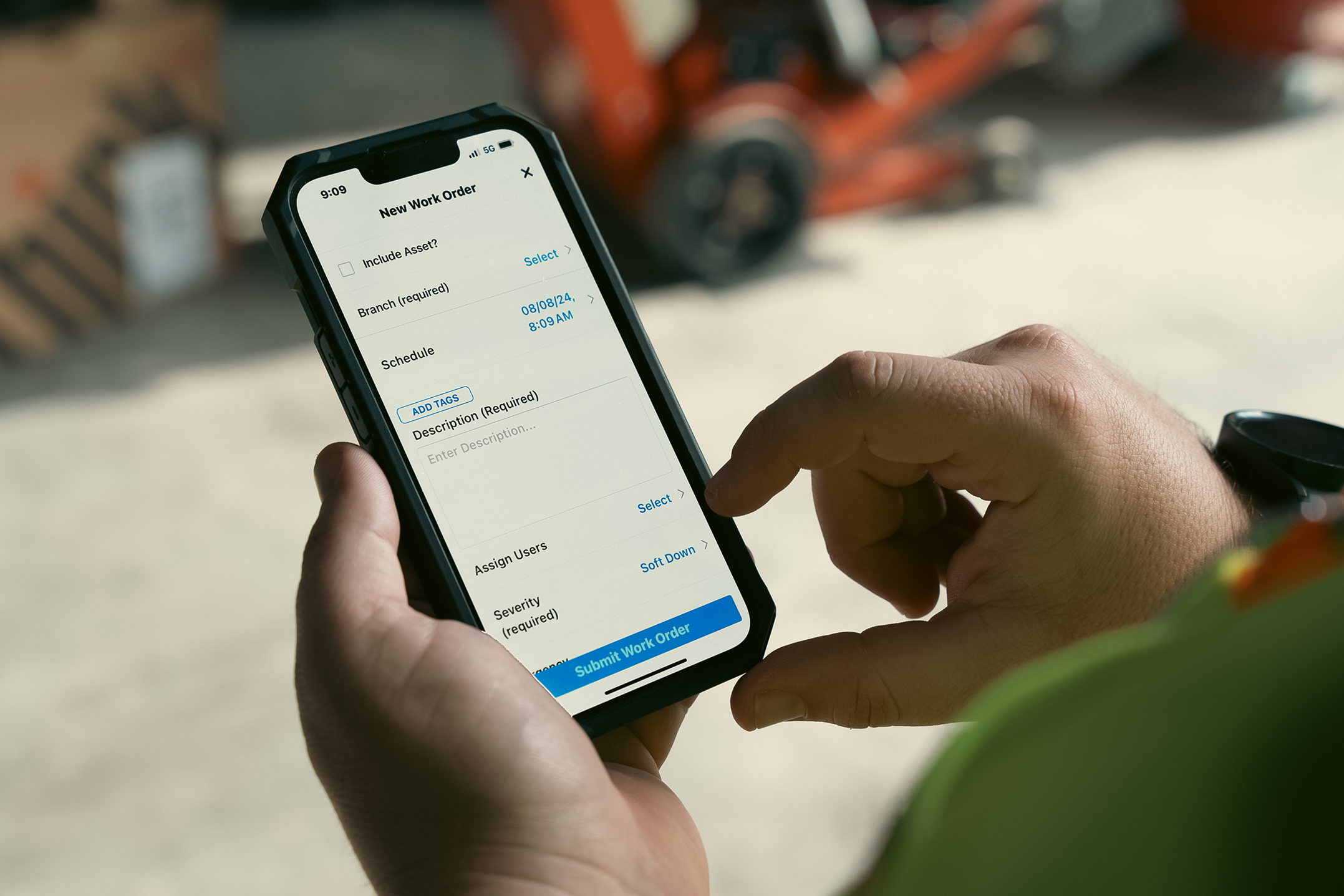
- The T3 mobile app to track equipment, manage work orders, complete inspections, and monitor utilization from the field
Bringing those capabilities together helps your team move from finding information to using it. A manager can locate an asset, review its activity, and coordinate the next step without piecing together the story from several disconnected tools.
How to Get Started With Construction Fleet Management Technology
You don’t have to connect every asset and change every workflow on day one. Start with the equipment and decisions that have the biggest impact on your operation.
- Prioritize your highest-cost or highest-risk assets. Start with vehicles and machines where theft, fuel waste, or downtime would cause the greatest disruption.
- Establish a 30-day baseline. Collect operating data so you understand utilization, and equipment movement before setting improvement targets.
- Give every alert an owner. Decide who reviews fault codes, who responds to unexpected movement, utilization and who follows up on maintenance. Data becomes useful when someone takes responsibility for the next step.
- Bring operators into the process early. Explain how the tools work and how the information will be used. Connect the rollout to practical benefits, such as catching equipment issues earlier and getting maintenance scheduled. T3’s Onboarding and Training team can help with this.
- Use the findings in regular fleet decisions. Bring utilization and maintenance data into conversations about transfers, rentals, purchases, and replacements.
Start with a question you need answered. Build the process around what your team will do with the answer.
Construction Fleet Management FAQs
Is telematics the same as GPS tracking?
No. GPS tracking provides location information. Telematics can also provide engine hours, idle time, diagnostics, utilization, and operator behavior data, depending on the equipment and hardware.
Does T3 work across different equipment brands?
T3 is built to connect mixed fleets across manufacturers, including vehicles, powered equipment, and non-powered assets. The information available depends on the asset and the connected hardware.
How quickly does telematics pay for itself?
Payback depends on your fleet, implementation costs, and how consistently your team acts on the data. Reduced fuel waste, better equipment allocation, prevented downtime, and equipment recovery can all contribute to the return.
Can smaller construction fleets benefit?
Yes. A smaller fleet may have fewer machines to track, but less room to absorb a missing asset or unexpected breakdown. Starting with critical equipment can help a smaller operation focus its investment where visibility matters most.
See What’s Happening Across Your Fleet
Before you approve another rental, move a machine across town, or wait for the next maintenance call, it helps to know what your equipment is already telling you.
T3 brings that information together so your team can make better construction fleet management decisions—from the office to the job site.
Schedule a T3 demo to see how it works with your equipment mix.